tunlx: Enterprise-Grade IPTV Proxy & Tunneling Platform
🚀 Secure, Flexible, and Powerful IPTV Management
Forward, aggregate, and host Xtream-compatible services with VPN routing, HLS optimization, and real-time dashboards
✨ What Makes tunlx Special
-
🛡️ Privacy First
Multi-provider VPN support (Mullvad, and manual wg0.config) with per-proxy routing, automatic server switching, and policy-based bypass
-
⚡ Performance Optimized
MediaFlow caching, HLS remuxing, bandwidth tracking, and intelligent format negotiation for blazing-fast streaming
-
🔧 Ultimate Flexibility
Three proxy modes (Standard, Composite, Xtreme), multi-source aggregation, and granular category control
-
📊 Professional Dashboard
Real-time metrics, drag-and-drop category manager, inline configuration, and built-in Xtream web player
🎯 What's New in November 2025
Latest Features
Smart format negotiation automatically detects and converts streaming protocols:
.m3u8to MPEG-TS remuxing using ffmpeg- Protocol detection for
.ts,.hls, and.m3u8streams - Format preference transport for limited-support sources
- Read implementation details →
Complete web interface for self-hosted services:
- Group, channel, and user CRUD operations
- Bulk operations and category management
- Connection tracking and session monitoring
- No more manual JSON editing required
Auto-populate channels from the public iptv-org repository:
- Interactive wizard (
--xtremeWizard) for quick setup - Country-based category filtering
- Automatic stream URL and EPG mapping
- Perfect for testing and development
🔥 Core Features & Benefits
VPN & Advanced Routing
Multi-Provider VPN Ecosystem
Supported Providers: Mullvad • Manual wg0.config
- Per-Proxy Routing Control - Choose
system,vpn, ordirectsource IP binding for each proxy - Policy Routing - Bypass VPN for specific proxies while maintaining system-wide protection
- WireGuard Native - Built-in WireGuard support with automatic configuration
- VPN Scheduler - Background refresh with exponential backoff and retry logic
- Provider State Management - Preserve WireGuard keys and configuration across updates
Streaming Performance & Optimization
Blazing Fast Content Delivery
- MediaFlow Integration - HLS segment caching and optimization via MediaFlow Proxy
- HLS Remuxing - On-the-fly
.m3u8to MPEG-TS conversion using ffmpeg - Protocol Detection - Real-time format detection (
.ts,.m3u8,.hls) - Format Negotiation - Intelligent preference transport for source compatibility
- Bandwidth Tracking - Per-proxy monitoring with RPS calculation
- Rate Limiting - Per-proxy rate limiting using tollbooth middleware
- Connection Pooling - Efficient upstream connection management
Content Management & Curation
Complete Catalog Control
- Category Manager - Drag-and-drop reordering with instant playlist updates
- Multi-Source Aggregation - Combine categories from unlimited providers
- iptv-org Integration - Auto-populate from 75,000+ public channels
- EPG Auto-Refresh - Background XMLTV updates (1-72 hour intervals)
- Category Preferences - Independent ordering for Live/VOD/Series
- Custom Prefixes - Label and organize categories per proxy
- Immediate Propagation - Changes reflect instantly in APIs and playlists
User & Access Management
Enterprise Security Standards
- bcrypt Password Hashing - Industry-standard credential protection
- Expiry Date Management - Automated account lifecycle control
- Connection Limits - Concurrent stream enforcement per user
- Session Management - Gorilla sessions with secure cookies
- Credential Vault - Secure upstream provider credential storage
- CORS Support - Cross-origin request handling for web apps
- Audit Logging - Track user actions and system events
📊 Proxy Type Comparison
Choose the right mode for your use case:
| Feature | Standard Proxy | Composite Proxy | Xtreme Service |
|---|---|---|---|
| Forward to Upstream | ✅ | ✅ | ❌ |
| VPN Routing | ✅ | ✅ | ✅ |
| MediaFlow Caching | ✅ | ✅ | ✅ |
| Multi-Source Aggregation | ❌ | ✅ | ❌ |
| Self-Hosted Channels | ❌ | ❌ | ✅ |
| User Management | ❌ | ❌ | ✅ |
| Custom Categories | ✅ | ✅ | ✅ |
| EPG Refresh | ✅ | ✅ | ✅ |
| Rate Limiting | ✅ | ✅ | ✅ |
| Bandwidth Tracking | ✅ | ✅ | ✅ |
🚀 Quick Start
services:
  tunlx:
    container_name: tunlx
    image: ghcr.io/tunlxio/tunlx:latest
    restart: unless-stopped
    environment:
      - commandLine=-configFile=/app/data/config.json
      - TUNLX_WG_IFACE=${TUNLX_WG_IFACE_DEFAULT}
      - TUNLX_WG_MARK=${WG_MARK_DEFAULT}
      - TUNLX_DEBUG=false
      - API_PASSWORD=${MEDIAFLOW_API_PASSWORD_DEFAULT}
    # Ensure MediaFlow can be resolved via service name even when we run on host networking
    extra_hosts:
      - "mediaflow:127.0.0.1"
    healthcheck:
      test: ["CMD", "curl", "--fail", "http://localhost:6060/metrics"]
      interval: 30s
      timeout: 10s
      retries: 3
      start_period: 60s
    volumes:
      - /var/run/docker.sock:/var/run/docker.sock
      - ./data:/app/data
      - /etc/wireguard:/etc/wireguard
      - /var/run/mullvad-vpn:/var/run/mullvad-vpn
      - /usr/bin/mullvad:/usr/bin/mullvad:ro
    cap_add:
      - NET_ADMIN
      - NET_RAW
    devices:
      - /dev/net/tun
    network_mode: host
    pid: "host"
    logging:
      driver: "json-file"
      options:
        max-size: "10m"
        max-file: "5"
  mediaflow:
    container_name: mediaflow
    image: mhdzumair/mediaflow-proxy:latest
    restart: unless-stopped
    environment:
      - API_PASSWORD=${MEDIAFLOW_API_PASSWORD_DEFAULT}
      # ──────────────── Core Settings ────────────────
      - PORT=8888
      - FORWARDED_ALLOW_IPS=127.0.0.1,172.17.0.1
      - M3U8_CONTENT_ROUTING=mediaflow
      # ──────────────── HLS Prebuffering ────────────────
      - ENABLE_HLS_PREBUFFER=true
      - HLS_PREBUFFER_SEGMENTS=5
      - HLS_PREBUFFER_CACHE_SIZE=50
      - HLS_PREBUFFER_MAX_MEMORY_PERCENT=80
      - HLS_PREBUFFER_EMERGENCY_THRESHOLD=90
      # ──────────────── DASH Prebuffering (optional) ────────────────
      - ENABLE_DASH_PREBUFFER=true
      - DASH_PREBUFFER_SEGMENTS=5
      - DASH_PREBUFFER_CACHE_SIZE=50
      - DASH_PREBUFFER_MAX_MEMORY_PERCENT=80
      - DASH_PREBUFFER_EMERGENCY_THRESHOLD=90
      # ──────────────── Security & Stability ────────────────
      - DISABLE_SSL_VERIFICATION_GLOBALLY=true
      - DISABLE_DOCS=true
      - DISABLE_HOME_PAGE=true
      - ENABLE_STREAMING_PROGRESS=false
    healthcheck:
      test: ["CMD", "curl", "--fail", "http://localhost:8888/health"]
      interval: 30s
      timeout: 10s
      retries: 3
      start_period: 30s
    ports:
      - "8800:8888"
    logging:
      driver: "json-file"
      options:
        max-size: "10m"
        max-file: "5"
Create Your First Proxy
{
  "proxies": [{
    "name": "MyProvider",
    "upstreamURL": "http://provider.example.com:8080",
    "localPort": 8081,
    "routingMode": "vpn",
    "username": "myuser",
    "password": "mypass"
  }]
}
Access at: http://localhost:8081/player_api.php?username=myuser&password=mypass
{
  "compositeProxies": [{
    "name": "AggregatedService",
    "localPort": 8082,
    "username": "viewer",
    "password": "viewpass",
    "sources": ["MyProvider", "AnotherProvider"],
    "categories": {
      "live": ["Sports", "News", "Entertainment"],
      "vod": ["Movies", "Documentaries"],
      "series": ["TV Shows"]
    }
  }]
}
Combines multiple providers into one endpoint with curated categories.
{
  "xtremeServices": [{
    "name": "MyIPTV",
    "localPort": 8083,
    "users": [{
      "username": "subscriber1",
      "password": "$2a$10$...",
      "expiryDate": "2026-12-31T23:59:59Z",
      "maxConnections": 2
    }],
    "groups": [{
      "name": "Premium Sports",
      "type": "live"
    }],
    "channels": [{
      "name": "ESPN HD",
      "groupName": "Premium Sports",
      "streamURL": "http://stream.example.com/espn.m3u8"
    }]
  }]
}
Self-hosted IPTV service with complete control over channels and users.
💡 Use Cases
IPTV Reseller Operations
Challenge: Manage multiple upstream providers while presenting a unified service to customers
Solution:
- Use Composite Proxies to aggregate best content from multiple providers
- Configure VPN routing to protect upstream credentials and IP reputation
- Enable MediaFlow caching to reduce bandwidth costs
- Leverage Category Manager to curate and brand your channel lineup
- Use Rate Limiting to prevent abuse and manage concurrent connections
Benefit: Professional service with reduced costs, enhanced privacy, and superior user experience
Privacy-Focused Streaming
Challenge: Access geo-restricted content while maintaining privacy
Solution:
- Deploy Standard Proxies with VPN routing (Mullvad)
- Enable Auto Server Switching for optimal latency
- Use Policy Routing to bypass VPN for local content
- Configure HLS remuxing for compatibility with all players
Benefit: Secure, private streaming with automatic server optimization
Multi-Provider Aggregation
Challenge: Test and combine content from various IPTV providers
Solution:
- Create Standard Proxies for each upstream provider
- Build Composite Proxies to merge categories
- Use iptv-org integration to supplement with free channels
- Configure EPG auto-refresh for unified program guides
Benefit: Centralized access to all content with unified EPG and search
Development & Testing
Challenge: Develop IPTV applications without production credentials
Solution:
- Deploy Xtreme Services for self-hosted test channels
- Use iptv-org wizard to populate test content
- Enable Verbose Logging for debugging
- Access OpenAPI/Swagger docs for API development
- Use built-in web player for quick testing
Benefit: Complete development environment with realistic data and full API compatibility
🎛️ Dashboard & Management
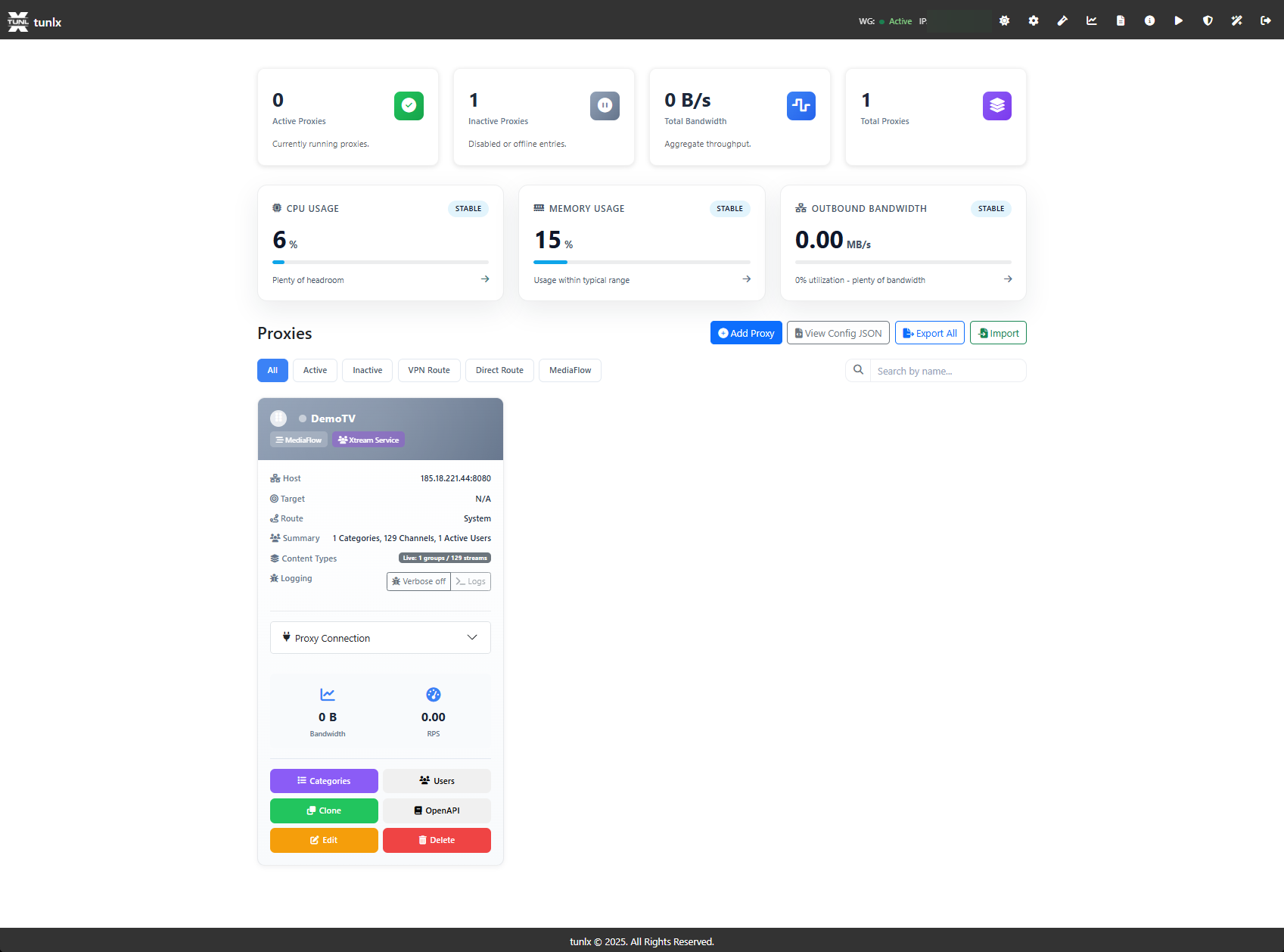
Screenshot Dashboard.png highlights the proxy tiles, routing badges, and quick action buttons that keep every upstream connection, composite, and service health badge in view.
Real-Time System Metrics
Live Monitoring
- CPU, Memory, Network - Host system utilization with historical graphs
- Per-Proxy Bandwidth - Real-time upload/download tracking
- Request Rate (RPS) - Requests per second with peak indicators
- Connection Tracking - Active streams and session monitoring
- Health Indicators - EPG status, MediaFlow connectivity, VPN state
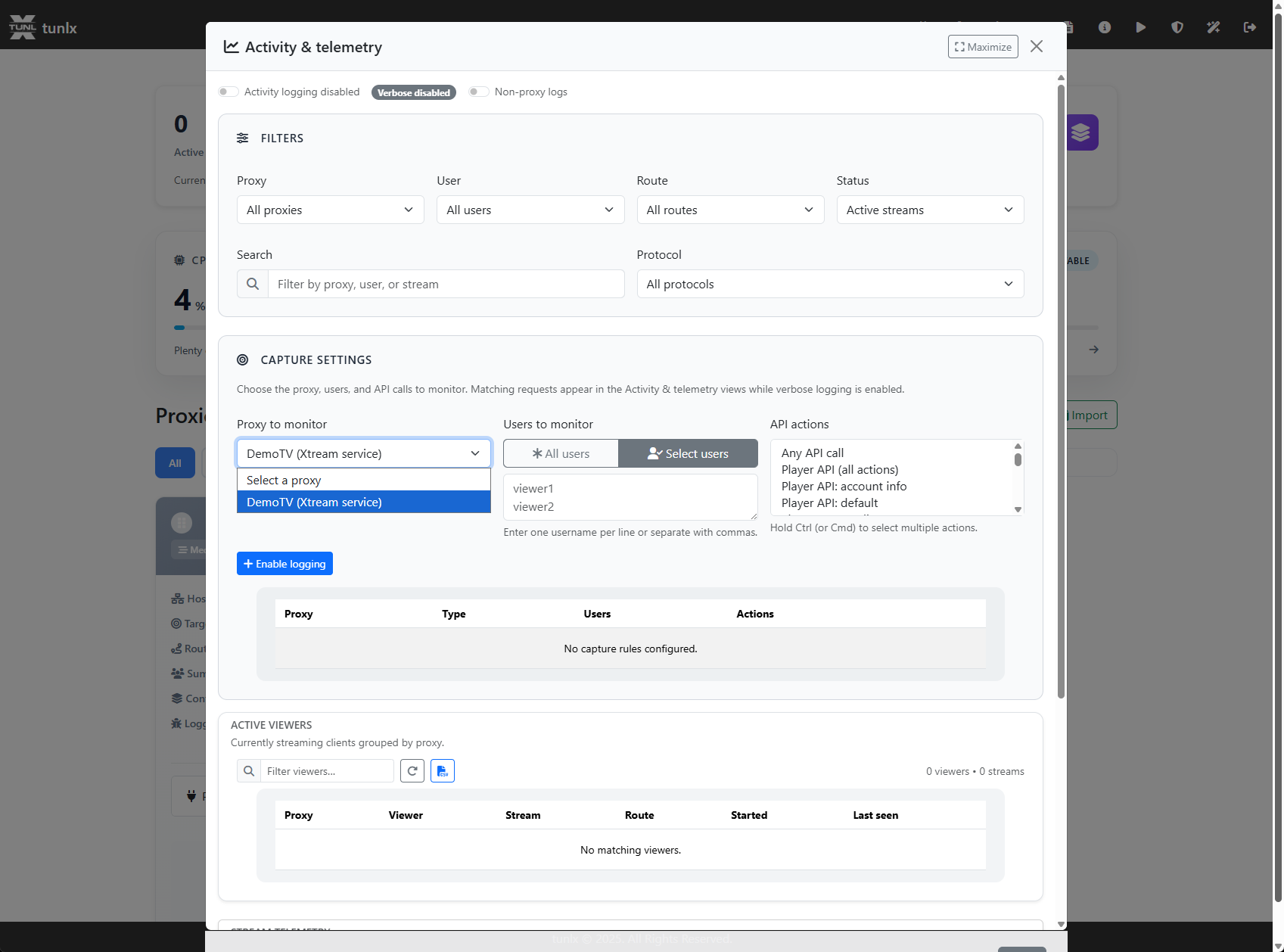
Screenshot Activity-and-Telemetry.png documents the telemetry overlays that trace VPN events, EPG refreshes, and MediaFlow cache hits alongside system load.
Proxy Management Cards
Each proxy displays comprehensive status at a glance:
- Routing Mode Badge - Visual indicator (System/VPN/Direct)
- MediaFlow Status - Cache hit rate and connectivity
- EPG Health - Last refresh time and next scheduled update
- Bandwidth Graph - 24-hour usage visualization
- Inline Actions - Edit, delete, view logs, refresh EPG, manage categories
Proxy Creation & Blueprints
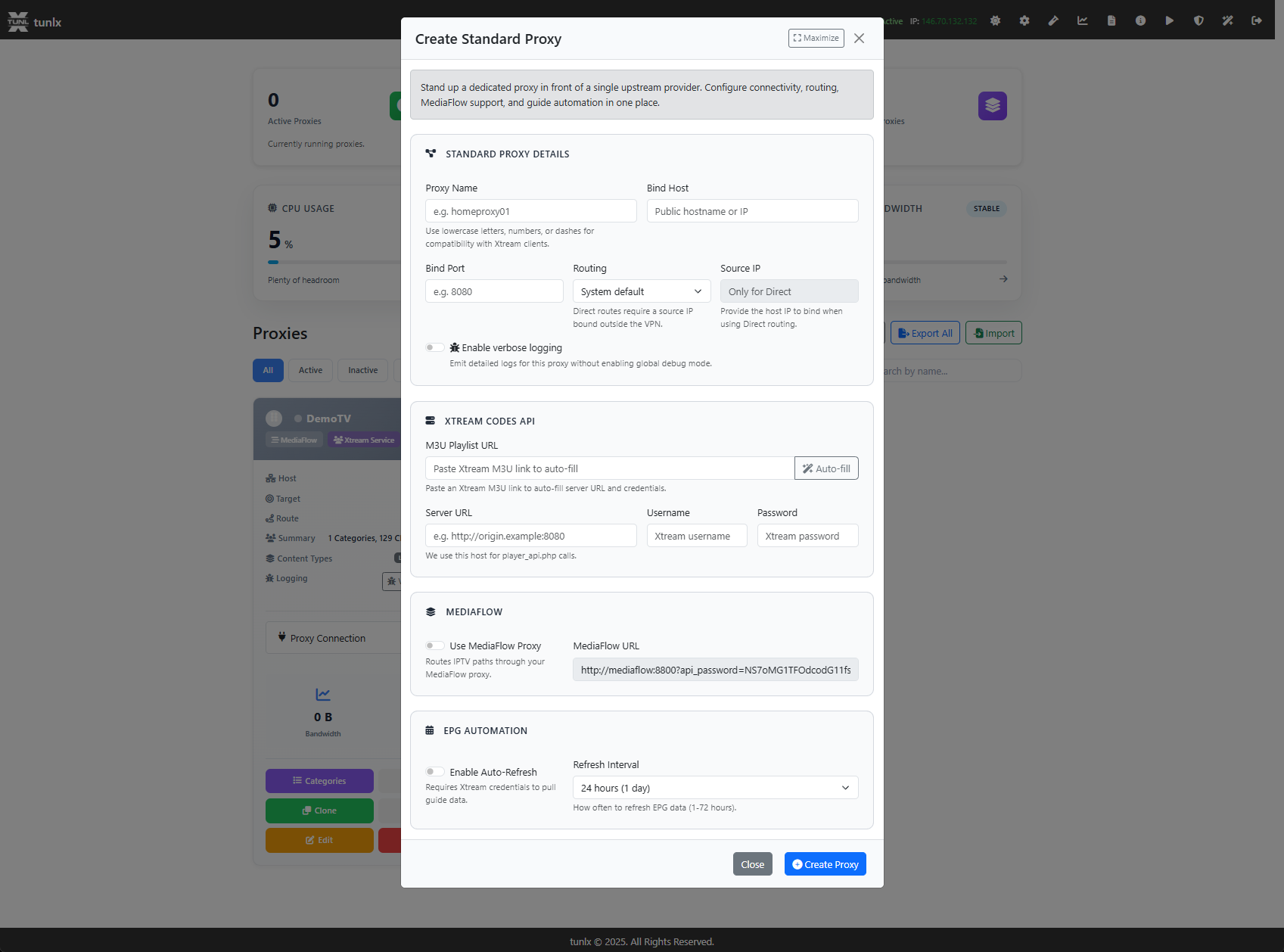
Screenshot Create-Standard-Proxy.png shows the form where you name a proxy, select the upstream, and toggle MediaFlow or VPN options before saving a new service.
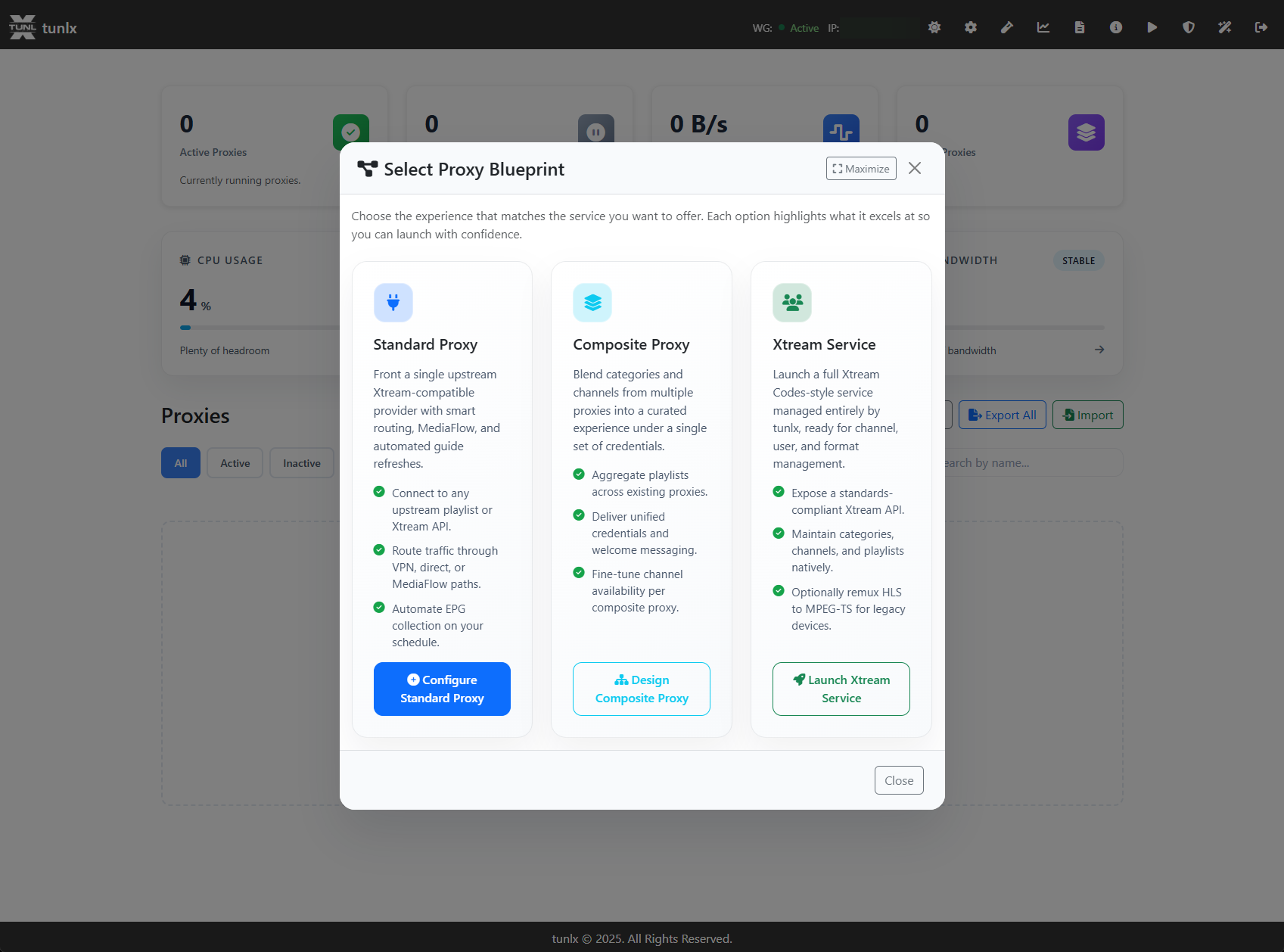
Screenshot Select-Proxy-Blueprint.png demonstrates the blueprint picker that clones existing providers while preserving prefixes, categories, and security settings.
Xtream Wizard & Catalog Import
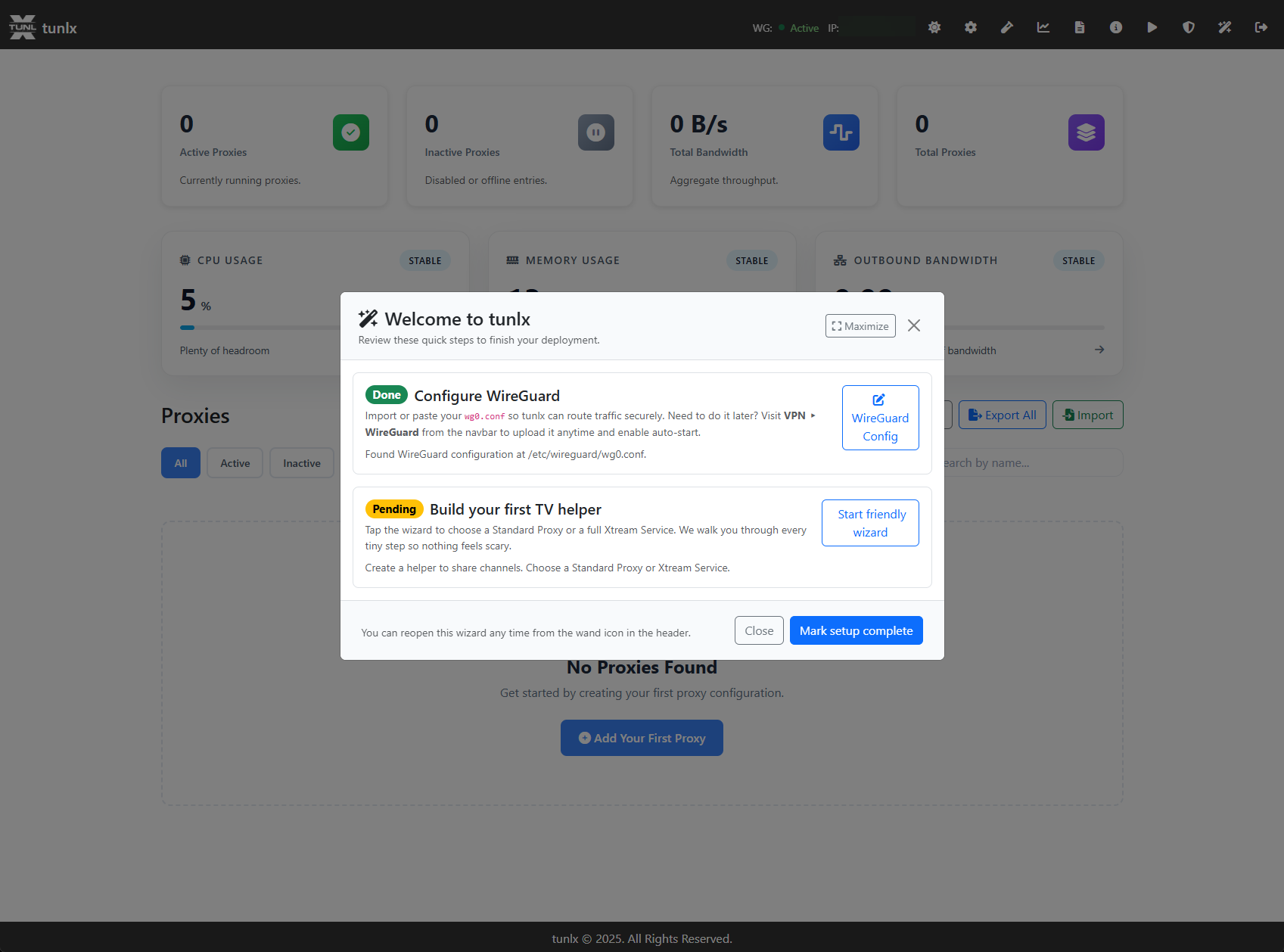
Screenshot Wizard.png introduces the wizard sequence that scaffolds composites, credentials, and channel line-ups in guided stages.
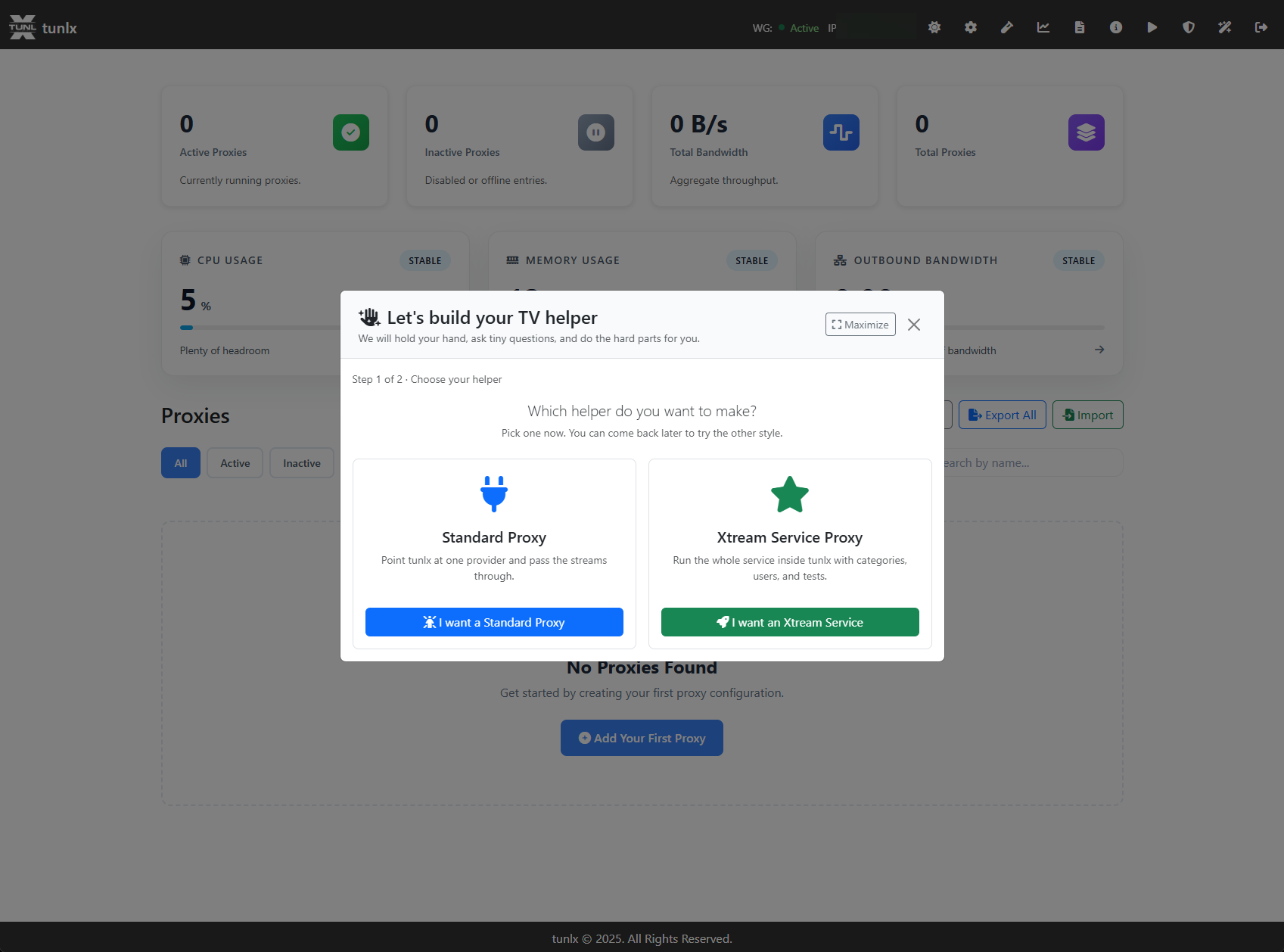
Screenshot Wizard-TV-helper.png breaks the TV helper into regional presets so you can preview channel availability before deployment.
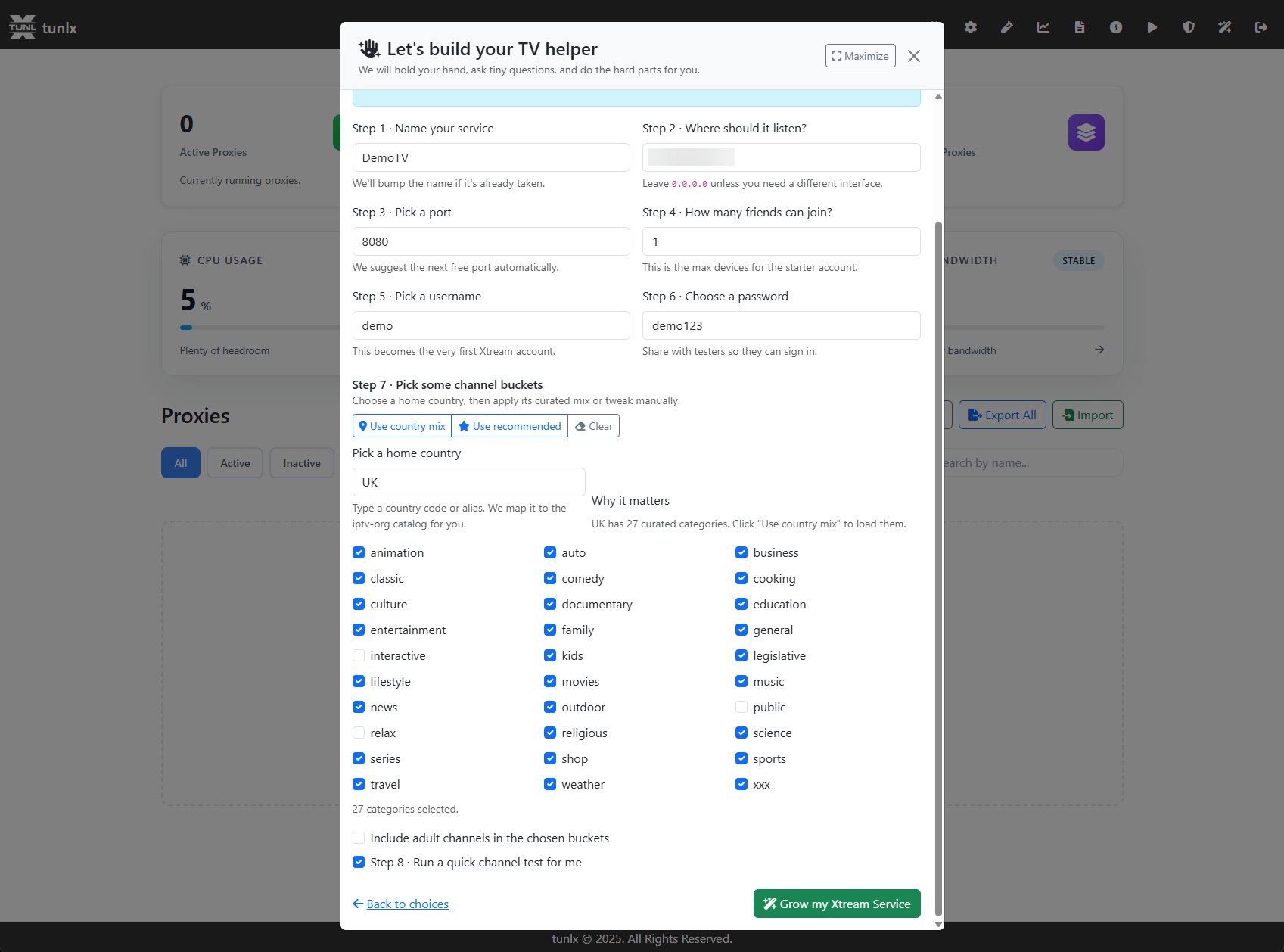
Screenshot Wizard-TV-helper-Select.png captures the step where you assign each helper to a proxy or composite, keeping your sources organized.
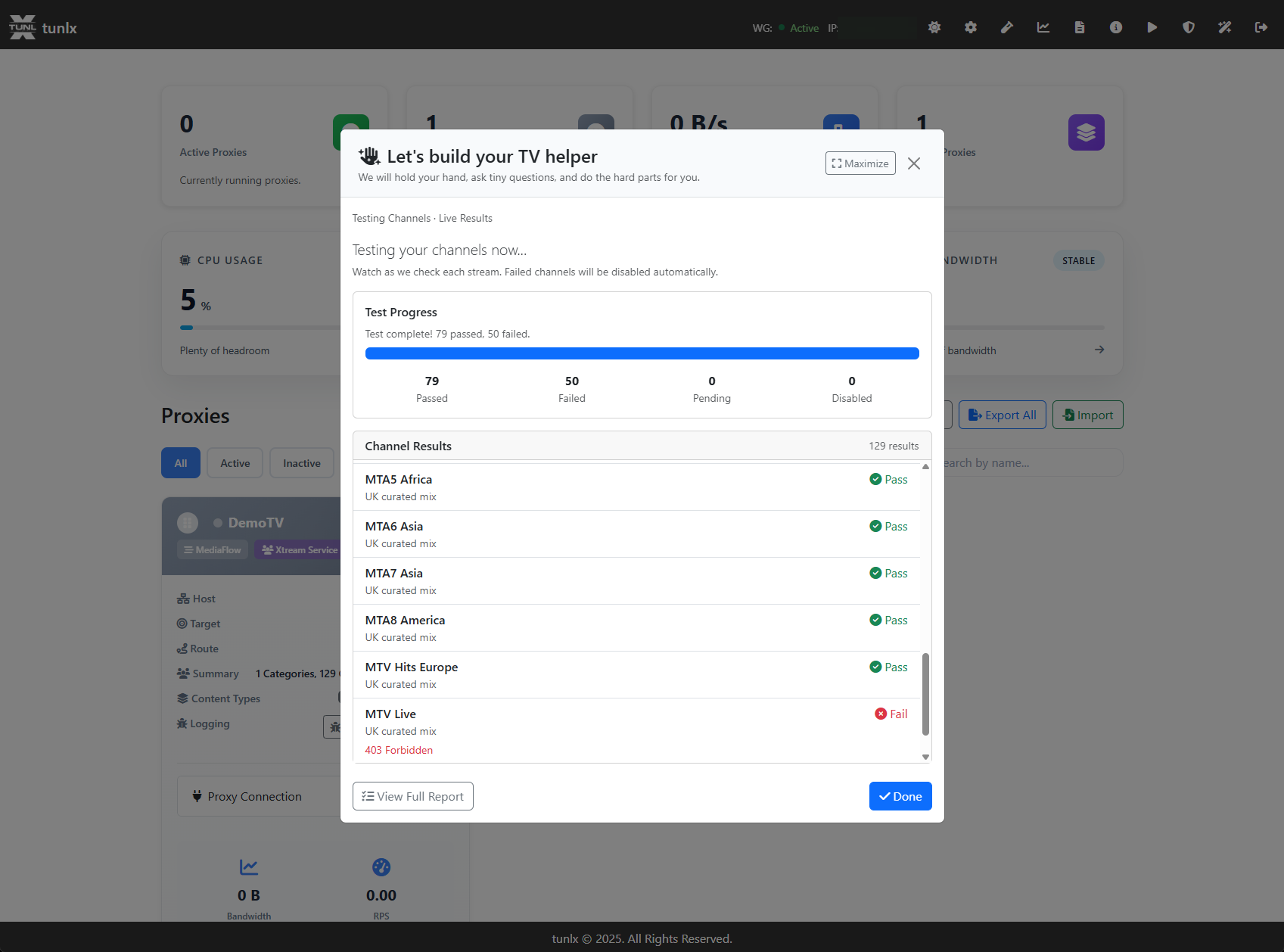
Screenshot Wizard-TV-helper-Select-Test-Channels.png captures the test-channel picker that validates URLs before you publish them.
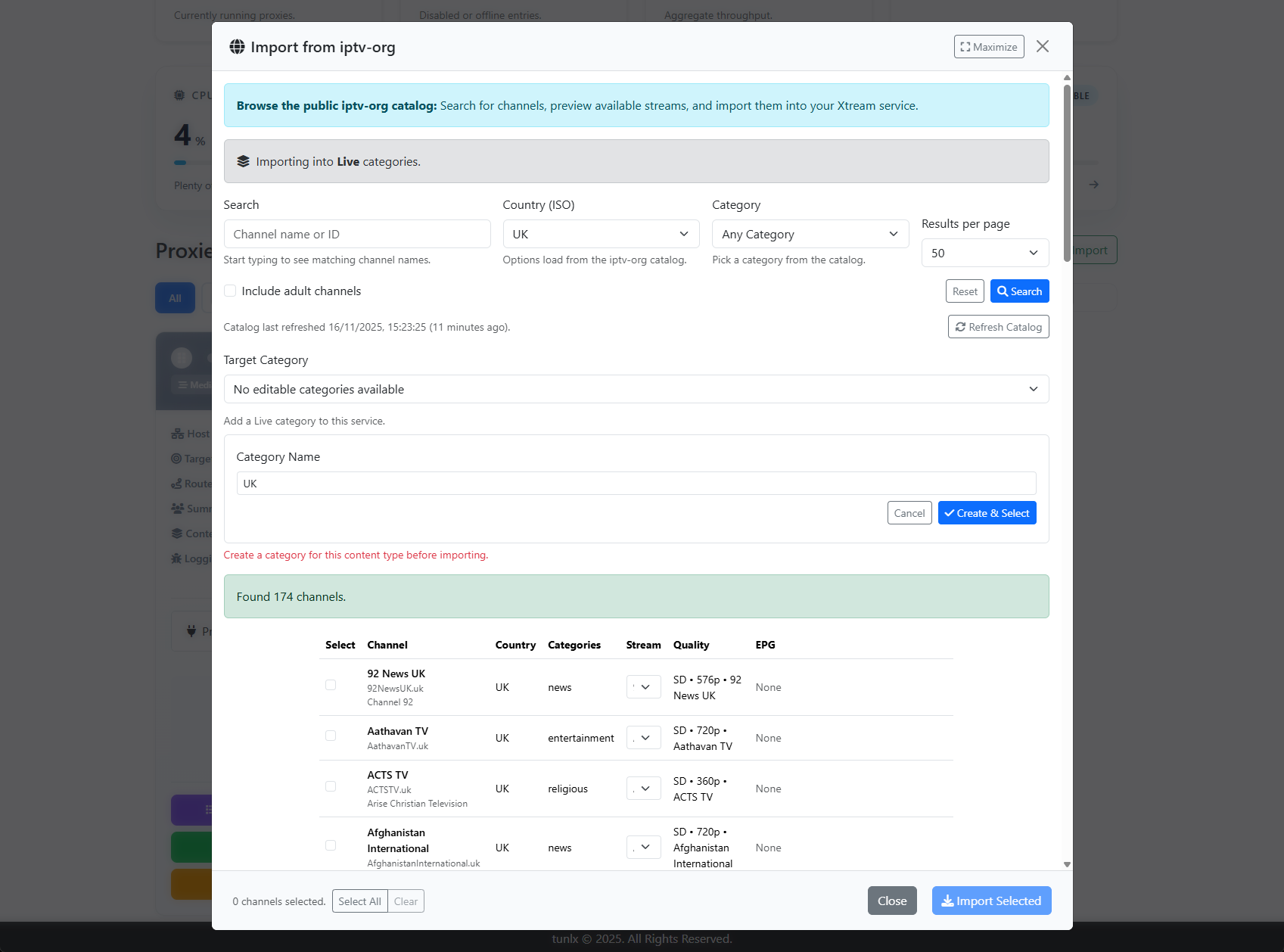
Screenshot Import-from-iptv-org.png highlights the catalog import dialog that pulls in curated countries, groups, and EPG from the public iptv-org repository.
Catalog & User Controls
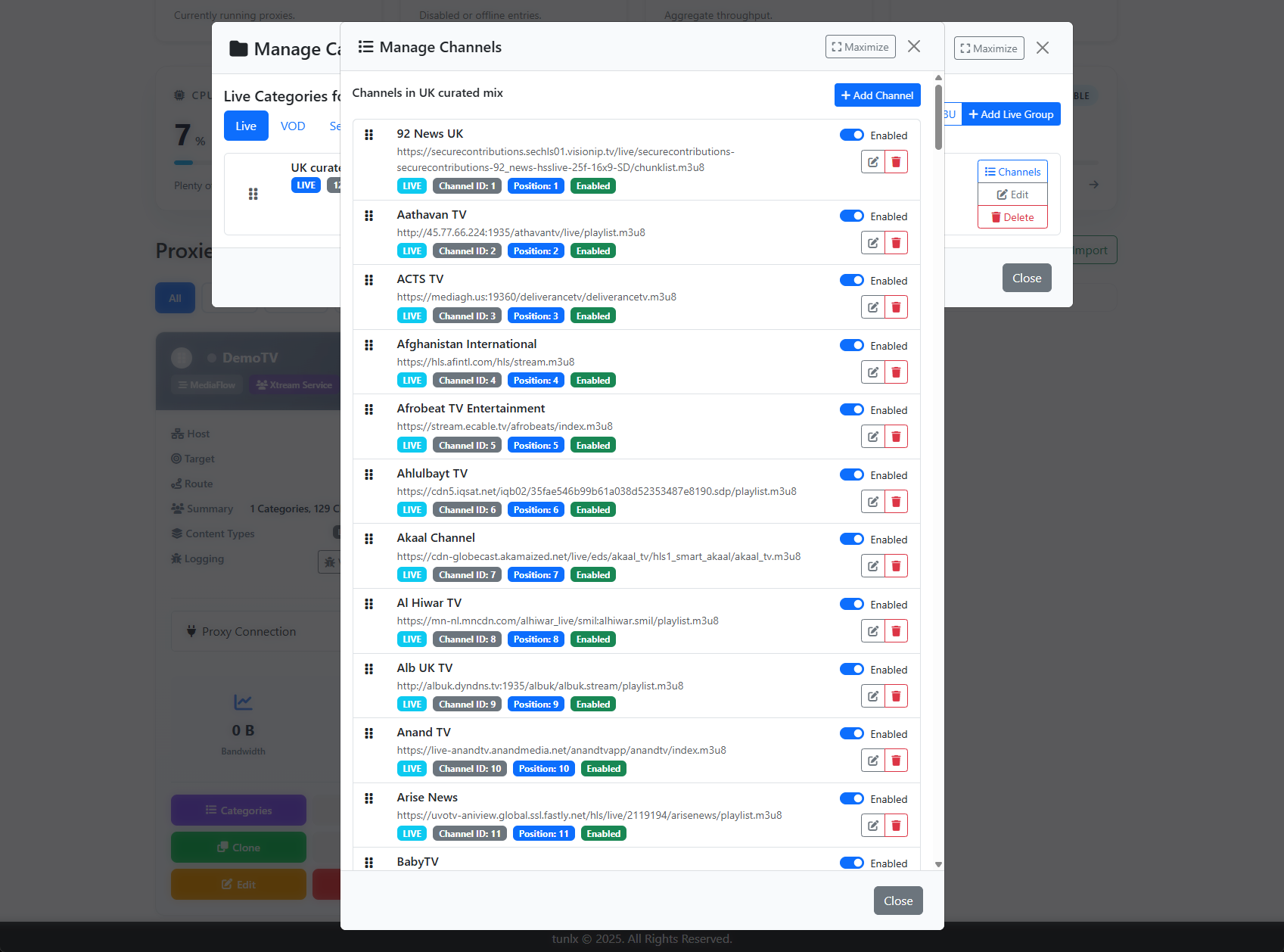
Screenshot Manage-Channels.png shows the editor where you rename, hide, or annotate individual Xtream streams before they hit playlists.
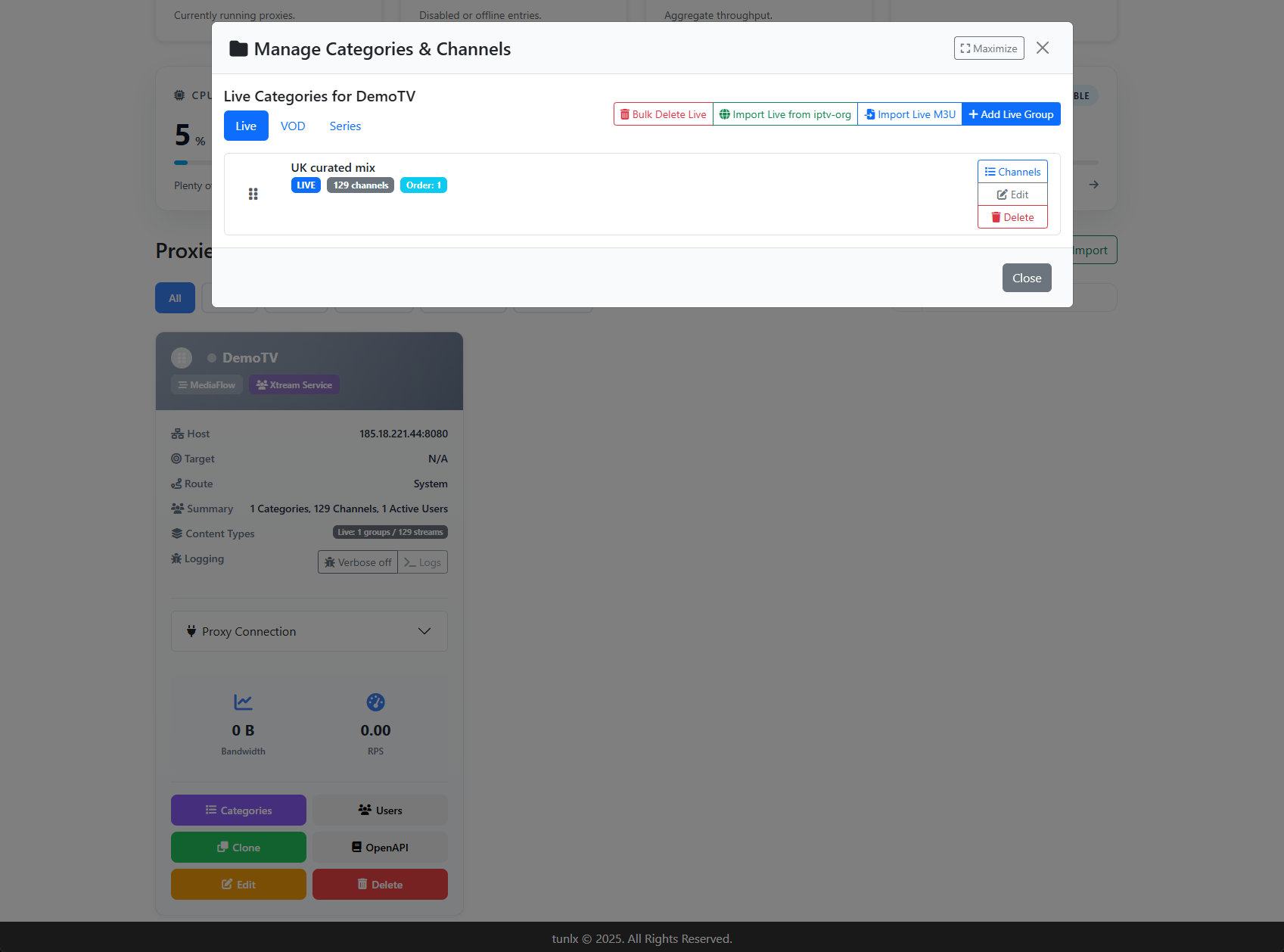
Screenshot Manage-Categories.png showcases the drag-and-drop category manager that prioritizes live, VOD, and series lists with prefix overrides.
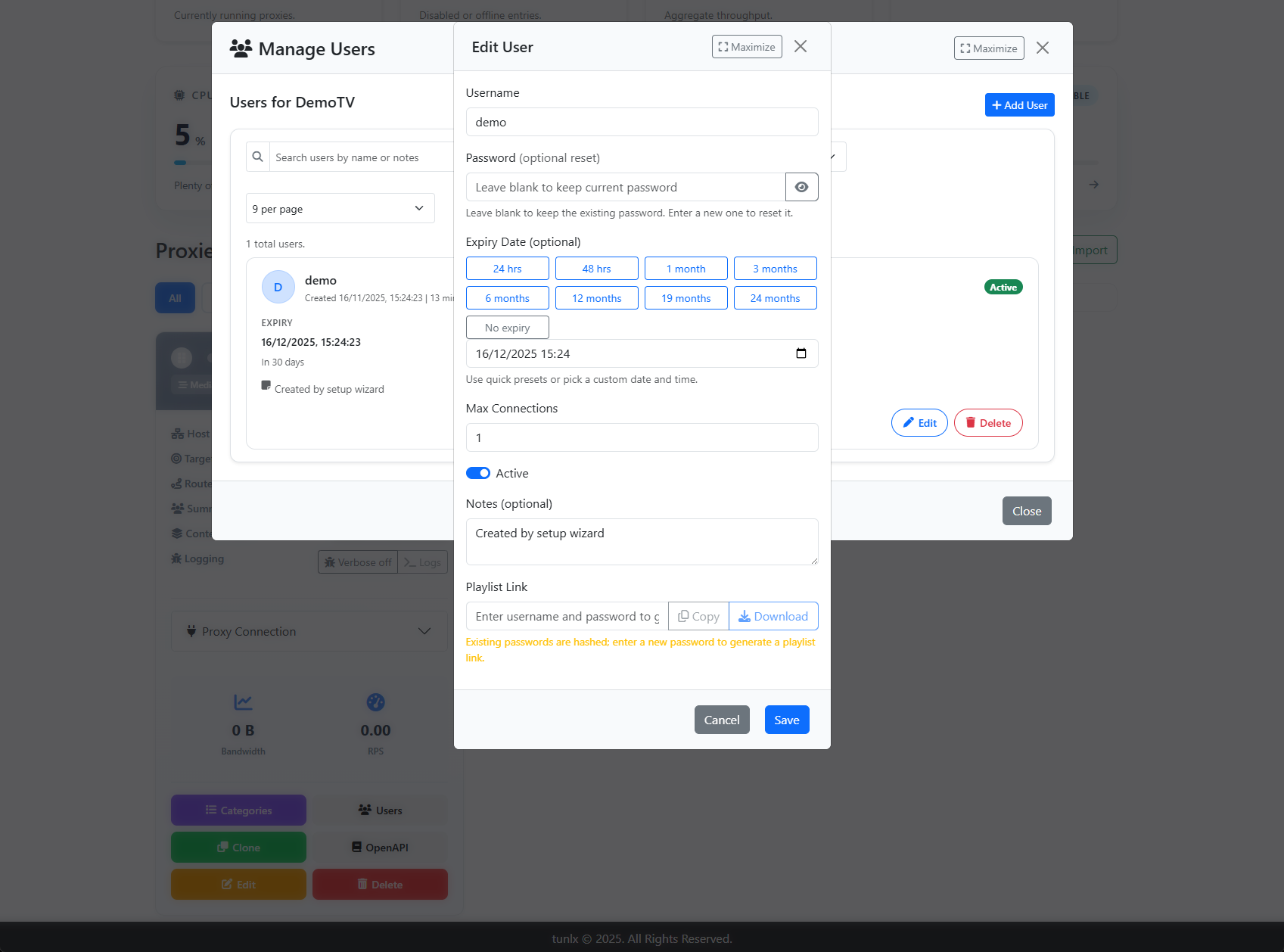
Screenshot Manage-Users.png exposes the ACL view for Xtreme services, including API tokens, expiry dates, and per-user access scopes.
Stream Health Tests
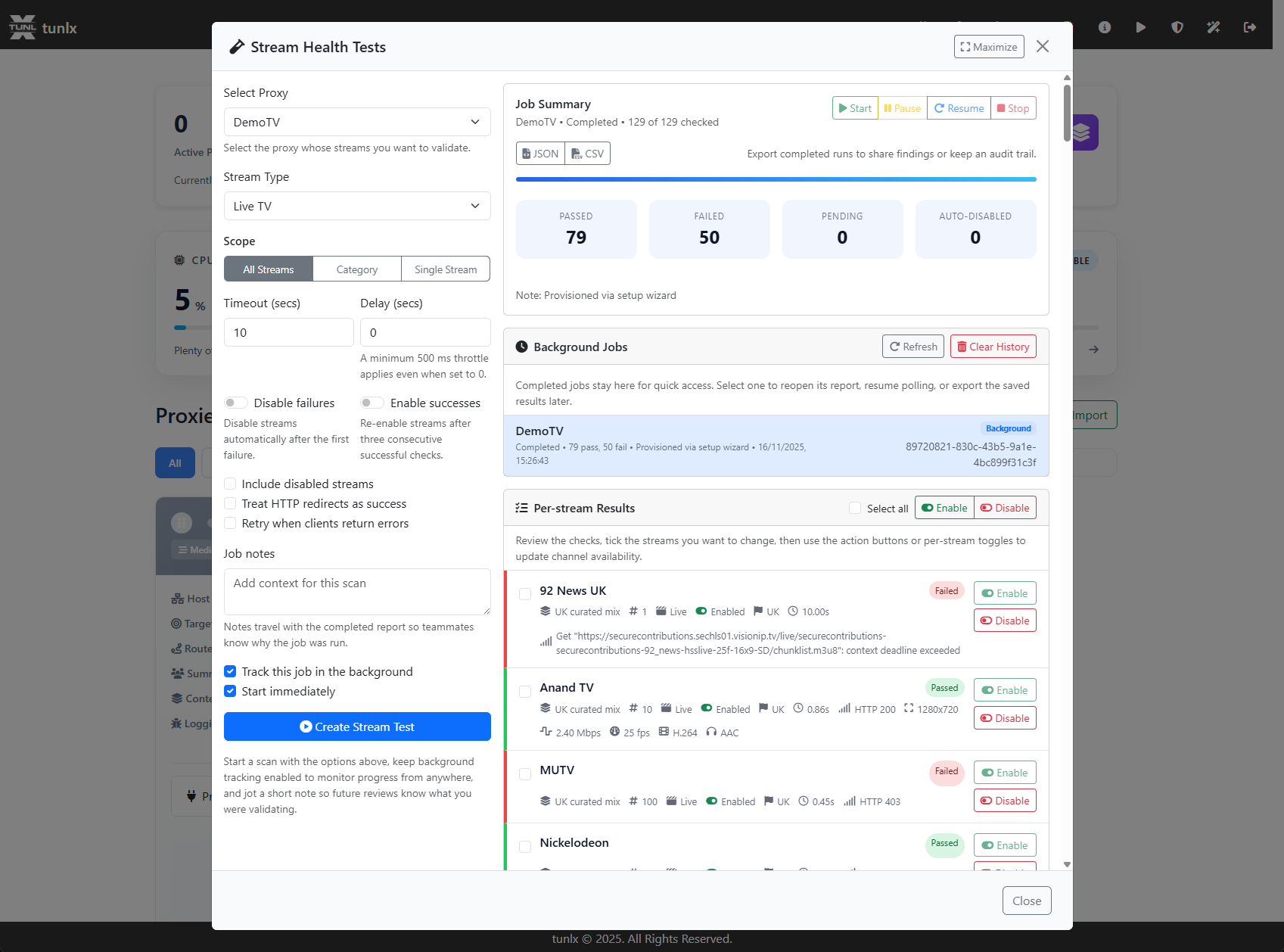
Screenshot Stream-Health-Tests.png displays the diagnostic module that probes upstream URLs, marks slow sources, and recommends replacements.
Built-In Xtream Web Player
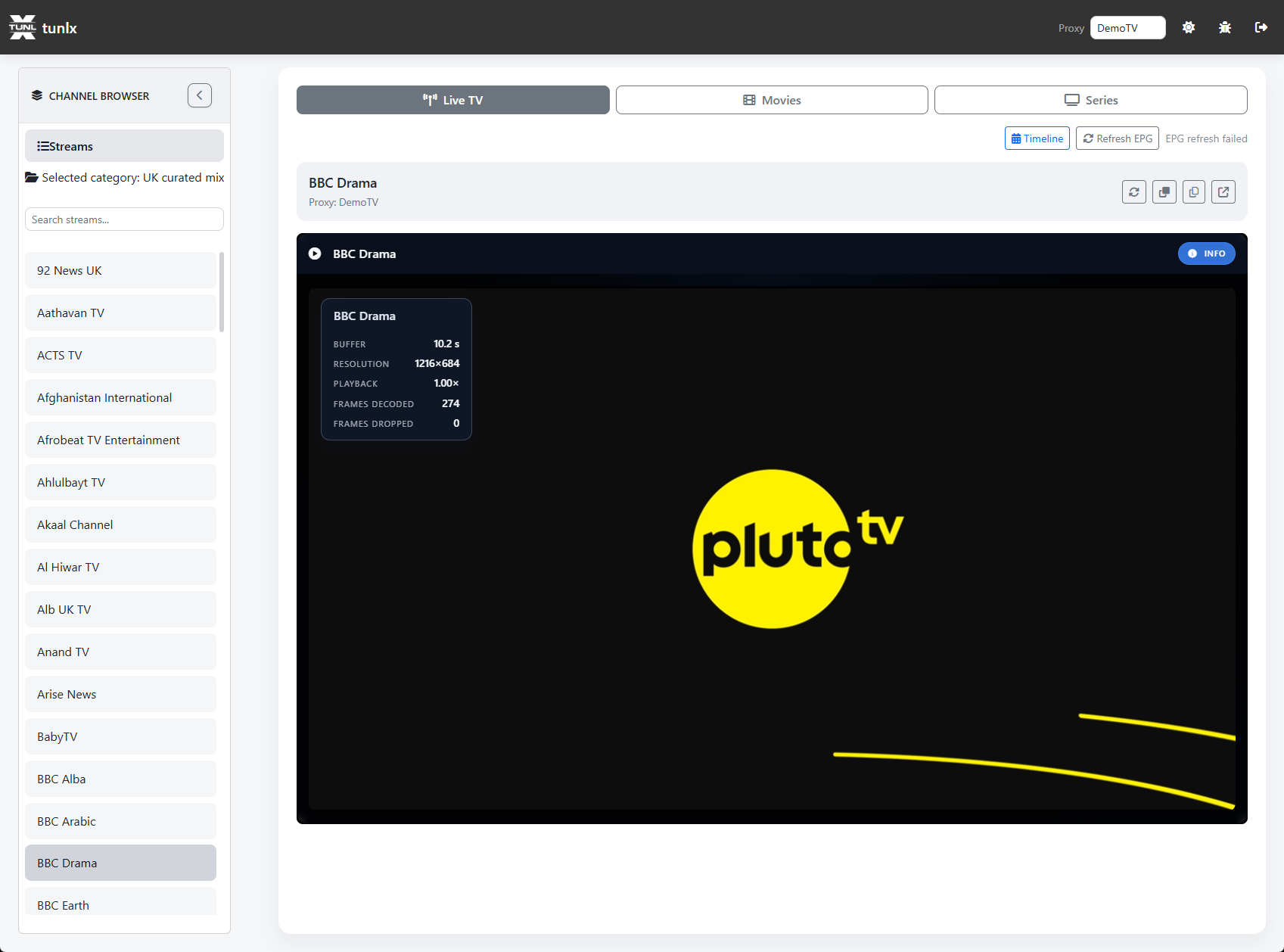
Screenshot Web-Player.png captures the embedded player with EPG overlays, playback controls, keyboard shortcuts, and dual direct/proxy toggles.
Features:
- Full EPG integration with channel guide
- Stream format selection (Auto, HLS, MPEG-TS)
- Keyboard shortcuts for playback control
- Channel artwork and metadata display
- Immersive full-screen mode
- Category filtering (Live/VOD/Series)
- Search and favorites
WireGuard Routing Controls
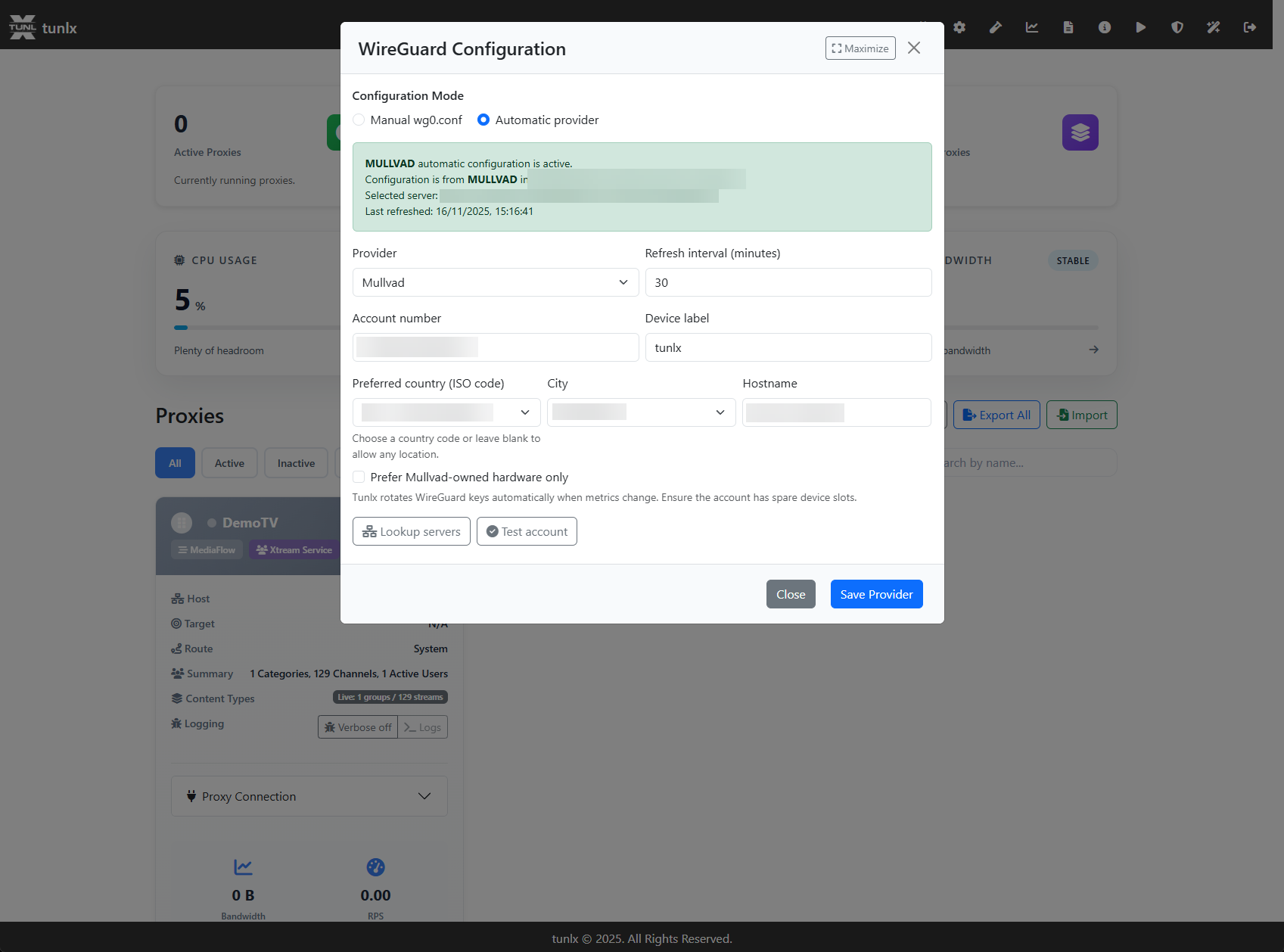
Screenshot WireGuard-Configuration.png shows the routing panel for binding proxies to specific interfaces, assigning marks, and keeping fallbacks for direct mode.
🔌 API & Integration
Xtream Codes Compatible
Full support for standard Xtream Codes API endpoints:
player_api.php- Authentication, categories, channels, series, VODget.php- Stream delivery with format negotiationxmltv.php- EPG data in XMLTV format
M3U Playlist Generation
Standard M3U8 playlists with EXTINF metadata for universal compatibility.
REST Management API
Comprehensive API for programmatic management:
- Groups, channels, and user CRUD operations
- Configuration updates without restarts
- Metrics and health check endpoints
- OpenAPI/Swagger documentation at
/swagger
Developer Features
- Verbose Logging - Per-proxy debug logging control
- Health Checks -
/metricsendpoint for monitoring integration - Configuration Flexibility - JSON file, CLI args, or environment variables
- Multi-Architecture - Docker images for amd64, arm, linux, windows
🏗️ Architecture Highlights
Technical Excellence
- Reverse Proxy Pattern - Built on
net/http/httputilfor performance - Goroutine-Based Concurrency - Efficient handling of thousands of streams
- Connection Pooling - Reuse upstream connections for reduced latency
- Session Management - Gorilla sessions with secure cookie encryption
- Rate Limiting Middleware - Tollbooth integration for abuse prevention
- System Metrics - gopsutil for comprehensive resource monitoring
- WireGuard Native - Direct integration without external dependencies
- Zero-Downtime Config - Hot reload for most configuration changes
🤝 Community & Support
Need Help?
- 📖 GitHub README - Additional context and examples
- 🐛 Issue Tracker - Report bugs or request features
- 💬 Discussions - Ask questions and share tips
- 📦 Docker Hub - Container registry and tags
Built with ❤️ using Go • Open Source under MIT License